How to Reduce Payment Processing Costs and Choose the Right Card Acceptance Solution for Your Retail Store
Updated: Sep 3
The way businesses sell, communicate with customers, and accept payments is changing rapidly. For retail businesses, staying competitive means having a payment setup that is flexible, efficient, and aligned with their actual needs. But when you're managing multiple locations, employees, customers, inventory, and day-to-day operations, reviewing your payment processing setup may not be a priority. As a result, businesses can end up paying for unused services, unnecessary equipment, or processing fees that could potentially be optimized.
At 8760, we start with your needs — not with selling you equipment. That is why reviewing payment processing should be treated as part of regular cost control. Not every review leads to a change, and it should not start with a sales pitch. A good review starts with the actual needs of the business, the current statements, and a clear look at whether the setup still makes sense.

Payment costs can become harder to track as a store grows
Retailers make dozens, hundreds, or thousands of payment decisions every day without thinking of them as decisions. A customer taps a credit card. Another uses Interac debit. Someone pays with a mobile wallet. A staff member processes a refund. A manager settles the batch at the end of the day.
Each step connects to a wider payment setup, including:
Terminals and hardware
Point of sale software
Card acceptance rules
Debit and credit processing costs
Monthly service fees
Reporting tools
Deposit timing
Support and troubleshooting
Multi-location settings
Inventory and staff permissions
When a store is busy, these details can fade into the background. The focus stays where it should be, on customers, inventory, staffing, suppliers, and daily operations.
Still, payment costs can quietly drift over time. A plan that worked for one location may not work as well for five. A pricing setup chosen years ago may not reflect today’s transaction mix. A retailer may be using only part of a service package while still paying for the whole thing.
Even small mismatches can add up when payment volume is steady.
For a retail business, this matters because payment processing is not a one-time purchase. It is an ongoing operating cost. It touches revenue every day. It also affects how quickly staff can serve customers, how easy it is to train new employees, and how clearly managers can see sales activity.
The right question is not only, “Are our payments working?” A better question is, “Is our payment setup still the right fit for how we operate now?”
A statement review should come before any equipment conversation
Many retailers have had the same frustrating experience. They ask about payment costs and quickly find themselves in a conversation about new hardware, new contracts, or a switch they did not ask for.
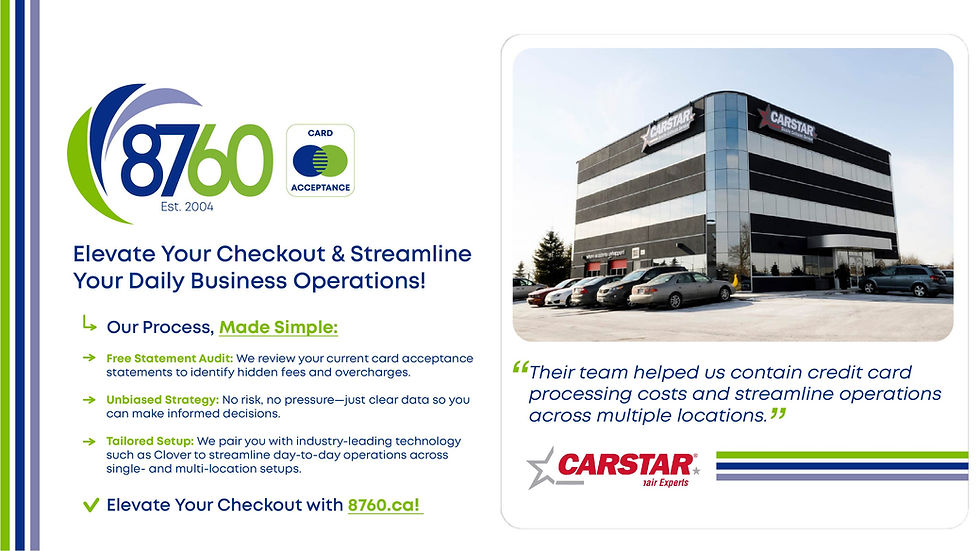
8760 takes a different approach. The first step is a no-cost, no-obligation review of current payment processing statements. The goal is to understand the business before suggesting anything.

That review helps answer practical questions:
What is the business currently paying?
Which services are being used?
Are there recurring charges that need explanation?
Does the pricing structure fit the transaction mix?
Are terminals, software, and services aligned with the way the store operates?
Would another setup reduce waste or improve day-to-day use?
This is not about forcing a change.
If the current setup is already well matched, 8760 will say so. That confirmation has value. It gives owners and managers confidence that payment costs are not being ignored.
if there are opportunities to improve costs or the payment setup, 8760 shows where those opportunities are and explains which options may fit better. That might involve rates, equipment, support, reporting, or how the point of sale system connects to store operations.
A clear statement review can also help retailers understand the language on their statements. Payment processing documents are not always easy to read. Monthly fees, assessment charges, interchange-related costs, terminal rental fees, chargeback fees, batch fees, and service charges may appear in different places depending on the provider.
The point is not to turn every owner into a payments expert. The point is to make the costs clear enough to manage.
Getting paid is serious business. Retailers deserve payment systems that are easy to understand, fairly matched to their needs, and supported when questions come up.

The right payment setup should match real retail operations
A grocery store does not operate the same way as a pharmacy. A boutique does not have the same checkout flow as a specialty retailer. A multi-location business has different needs than a single neighbourhood shop.
That is why payment setup should be designed around the way the business actually runs.
For example, a grocery store may need fast checkout, multiple lanes, reliable debit acceptance, and clear end-of-day reporting. A pharmacy may need dependable terminals, privacy at checkout, and smooth payment flow during peak pickup times. A boutique may care more about portable checkout, simple inventory views, and a polished customer experience.
Multi-location retailers face another layer of complexity. They may need:
Consistent equipment across locations
Simpler staff training
Central reporting
Easier support when something goes wrong
Fewer unnecessary devices
A cleaner customer experience from one store to the next
Without a review, it is easy to end up with a patchwork setup. One location uses one terminal, another uses different hardware, and reporting does not line up neatly. Staff learn different checkout steps depending on where they work. Managers spend more time sorting out payment issues than they should.
A better setup can reduce friction. That does not always mean adding more technology. Sometimes it means removing what is not needed. Sometimes it means choosing one consistent POS system across locations. Sometimes it means adjusting services so that the business is not paying for features that do not support sales, reporting, or customer service.

At 8760 we can provide Clover POS technology combined with payment processing solutions. This can help retailers accept payments while also supporting store operations, depending on the needs of the business.
Clover point of sale systems can support common retail tasks such as checkout, sales tracking, inventory tools, employee access, and reporting. The value comes from matching the tools to the store, not simply installing more hardware.
For some retailers, the right fit may be a countertop terminal. For others, it may be a fuller POS point of sale setup with inventory and staff features. The best answer depends on the store format, transaction volume, customer flow, and support needs.

Cost control is also about support and consistency
Payment costs are not only about rates. A low-cost setup that fails during a Saturday rush can become expensive quickly. Staff lose time. Customers wait. Managers scramble. Sales may be delayed or lost.
That is why support matters.
A strong payment setup should work properly from day one. It should also continue to support the business as it changes. New staff need to learn the system. New products need to be entered. A new location may need the same payment experience as the first. A terminal may need troubleshooting. A manager may need help reading a report or understanding a charge.
We provide ongoing support and guidance so retailers are not left to figure it out alone after installation.
Good support can help with:
Setup and activation
Terminal and POS questions
Staff training needs
Troubleshooting payment issues
Understanding statement changes
Planning for additional locations
Reviewing whether the current setup still fits
This is especially useful for retailers managing more than one location. When every store uses a different payment process, training becomes harder. Reporting takes more time. Support issues are harder to diagnose.
Consistency can reduce that burden. A common setup across locations can make it easier for staff to move between stores and for managers to compare activity. It can also create a smoother customer experience. Customers may not notice the payment system when it works well, and that is the point.
They notice when checkout is slow, when a terminal fails, or when a refund becomes complicated.
Cost control should include the full picture, not just the visible rate on a statement. That picture includes equipment costs, service fees, training time, support quality, downtime risk, reporting clarity, and how well the setup fits the store.

What to look for in a payment processing review
A useful review should be practical. It should not bury the business in technical language or vague promises. It should help decision-makers see what they have, what they use, and what could be improved.
Here are areas worth checking.
Monthly and recurring fees
Recurring fees can be easy to overlook because they arrive automatically. A review should identify which monthly charges apply and whether they connect to services the business still uses.
This may include service fees, software fees, equipment costs, reporting fees, compliance-related fees, or other account charges.
Transaction mix
Debit, credit, tap, chip, keyed-in payments, online payments, and card-not-present activity may carry different costs and rules. A retailer with mostly in-store debit transactions may need a different setup than one with many credit card transactions or remote payments.
The transaction mix helps determine whether the current structure fits the business.
Equipment needs
More equipment is not always better. Too little equipment creates bottlenecks. Too much equipment creates avoidable cost.
A review should look at how many terminals are in use, how many are needed, and whether the hardware supports the store’s checkout flow.
Reporting and operations
A POS system should help the business see what is happening. If reporting is confusing or split between tools, it may take longer to understand sales, refunds, staff activity, or location performance.
The best setup makes everyday information easier to access and act on.
Service and support
Payment processing retail needs can change quickly. A provider should be available when questions come up, especially when a terminal, batch, deposit, or customer payment issue needs attention.
Support is part of the value, not an extra detail. Learn more about 8760 Card Expert Team - click here.
Take back control of your expenses with 8760
Retail payment costs should not be a mystery. They should be clear, manageable, and connected to how the business actually operates.

At 8760 we start with needs, not equipment. The process begins with a no-cost, no-obligation payment processing statement review. If the current setup is already the right fit, that will be confirmed. If there are opportunities to reduce waste, improve the payment setup, or create a better fit across locations, those options will be explained.
For retailers, the result is not just a new terminal or a different statement. The real goal is better cost control, stronger support, and more confidence in the way payments are handled every day.
Learn more about 8760 Card Acceptance Services or email the Card Acceptance experts at merchant@8760.ca.
FAQ
How do I know if my business is being overcharged for payment processing?
The best starting point is a review of recent processing statements. 8760 looks at current fees, services, equipment, and transaction patterns to help identify whether the setup appears well matched or whether there may be room to improve costs. Request a complimentary statement review : https://www.8760.ca/freestatementreview
Do I have to switch providers after the review?
No. The review is no-cost and no-obligation. If the current setup is already working well, 8760 can confirm that. If there are better options, the team will explain them clearly so the business can decide.
We do everything within our control to provide our clients with a more than competitive rate. Additionally, and perhaps equally as important, we assess our clients’ business to make recommendations that cater to their business. At 8760 we recognize that every business has unique processing requirements, as such our merchant services solutions are tailored to meet the specific needs of our clients.
Can 8760 support multiple retail locations?
Yes. 8760 works with retailers that need consistent payment tools across locations. This can help reduce unnecessary equipment, make staff training easier, and create a more consistent checkout experience.
Does 8760 provide Clover POS technology?
Yes. 8760 can provide Clover POS technology along with payment processing solutions designed around the needs of the business.
To learn more about Clover POS devices please feel free to visit: https://www.8760.ca/posdevices
Who should request a payment processing review?
Retailers that have not reviewed their statements recently, have added locations, changed sales volume, added new payment methods, or are unsure about current fees can benefit from a review.
Whether you run a single storefront or manage multiple retail locations, our card acceptance solutions are designed to simplify operations and improve performance. From grocery stores and pharmacies to specialty retail and boutiques, we provide a complete system that combines powerful POS technology with seamless payment processing—so you can focus on sales, not systems.



Comments